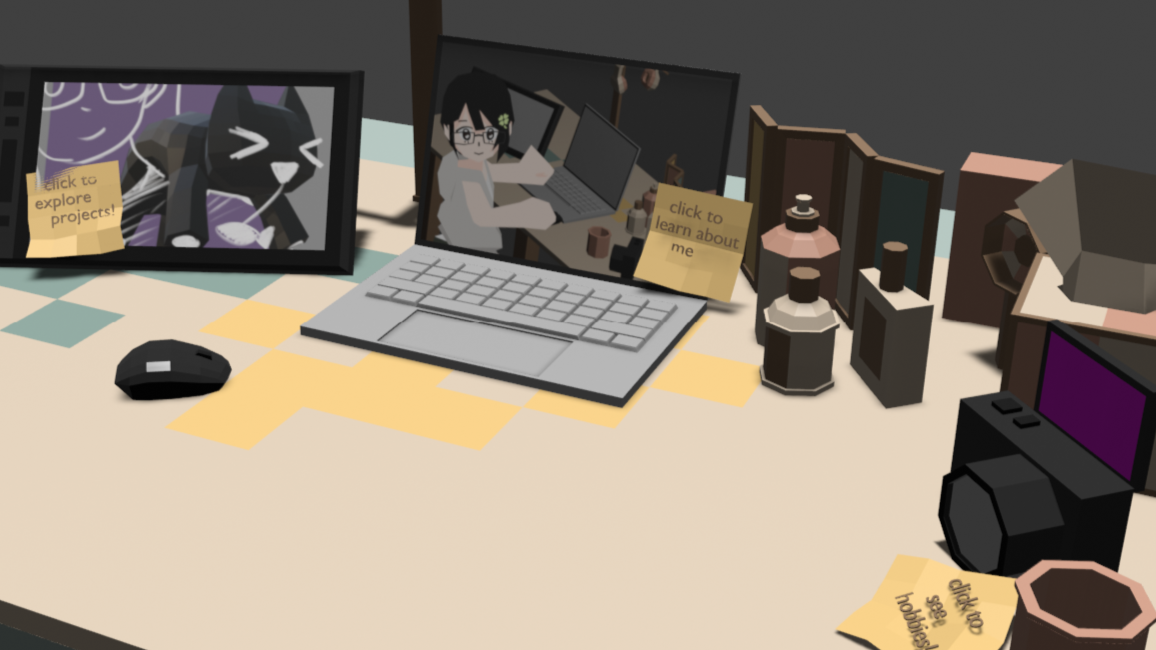
3D Portfolio Site
Summer 2025
Portfolio website made in a 3D space.
Skills: 3D Modeling, Front End Web Development, User Design Tools Used: Blender Modeling, HTML, CSS, Javascript, Three.js
Overview
In my endless endeavor to make things more fun and interactive, I wanted to combine 3D modeling and front end web development to make a site! This project was a big learning opportunity for me, as it was the first website that I deployed to be public facing.
Final Product
In page site demo:
Ideation
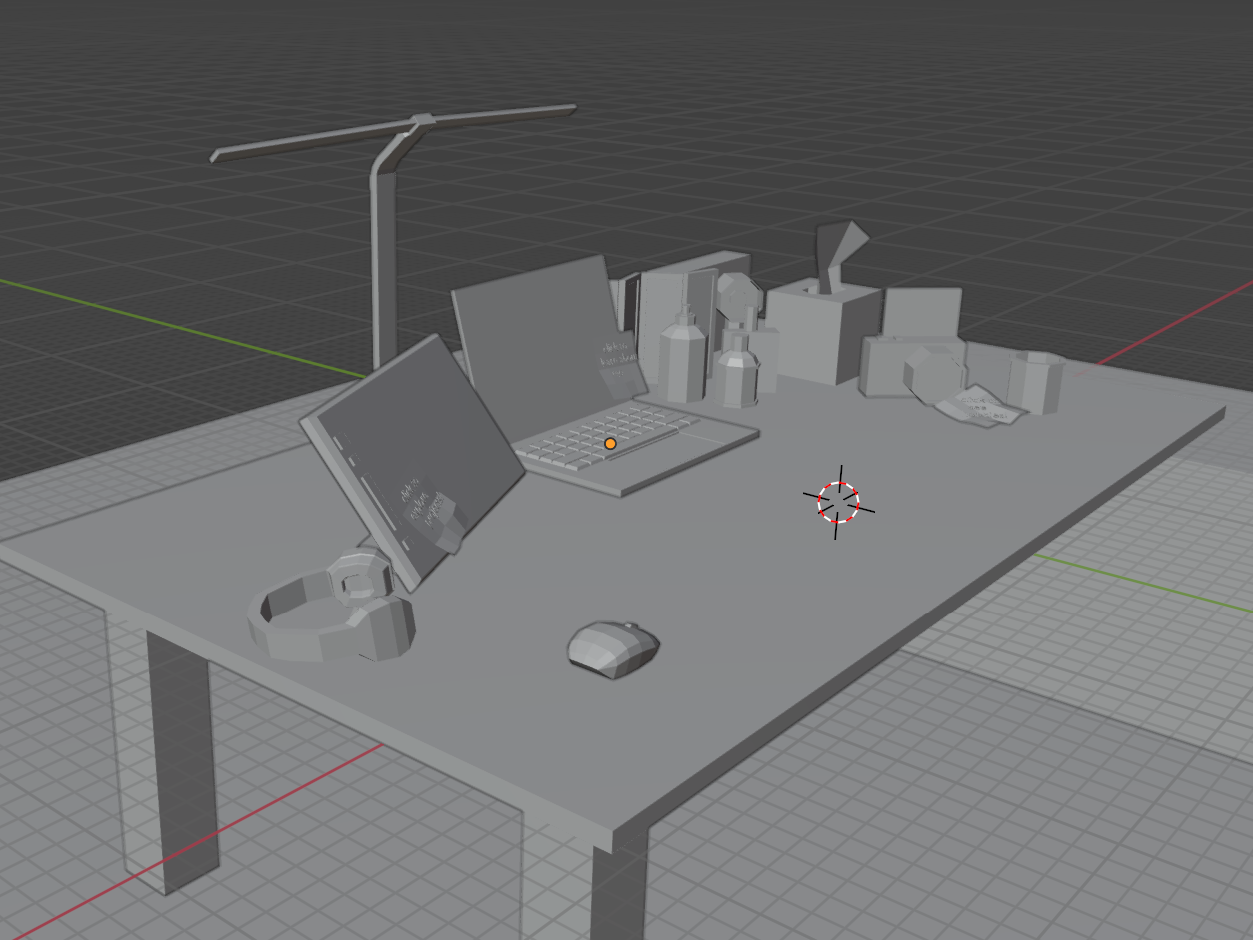
When I was starting to look into Three.js, I saw a lot of portfolio websites on their examples page. Many of these portfolio resemebled their desk or setup, and I was inspired to create my own take on this! After following the documentation website's tutorials and feeling more comfortable with the Three.js package, I got straight to work modeling my desk.
Process
When modeling my desk, I thought about the user navigation carefully. On one hand, I intended for this to be a more playful version of a traditional portfolio site. A site where you could explore and appreciate the site as itself, not only as a vessel for the information it holds. The main navigation of the website is by using the WASD or arrow buttons to control a mouse on my desk, the front area is pretty open and the different pages are easy to navigate to. I took inspiration from 3D video games, the keyboard movement, the slight visual hints to indicate interaction, and the hovering to highlight. A website communicating information should be clear, so I didn't take many risks with the user interface.
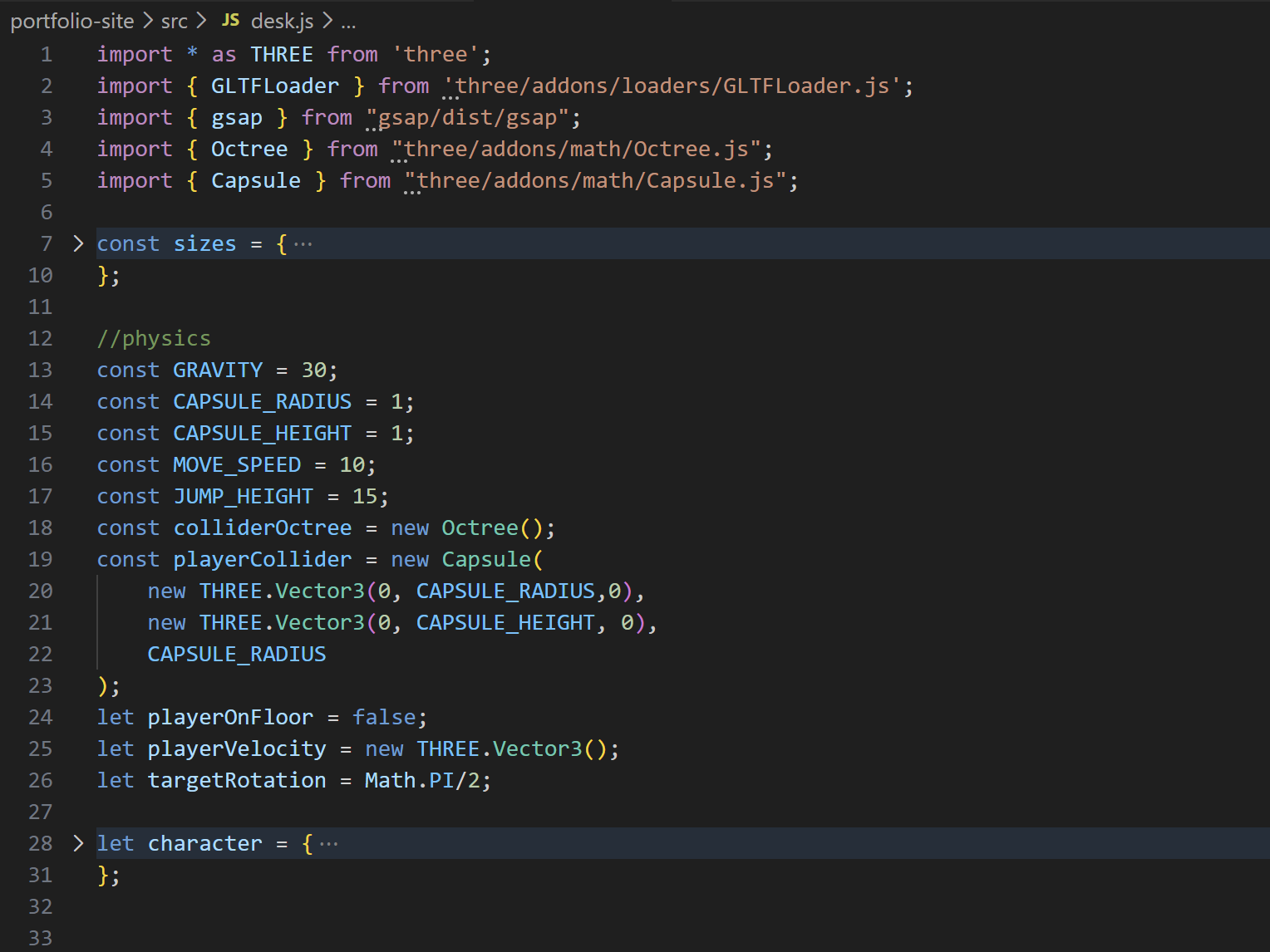
Once the model was completed, I loaded it into the webpage with Three.js. Then came the animations, mouse movement, and hitboxes. These were all made with Javascript. I used the GSAP Javascript library for the mouse movements for a natural easing motion.The biggest challenge in this process was doing the hitboxes. It required me to create a new model with objects for the hitbox and edit the normal map. Then the mouse needed it's own hitbox too. The hitbox logic I used for the "player" was capsules, which means that there is a imagined capsule generated around the mouse and acts as the barrier. For this system I imported the Three.js addons Capsule.js and Octree.js.
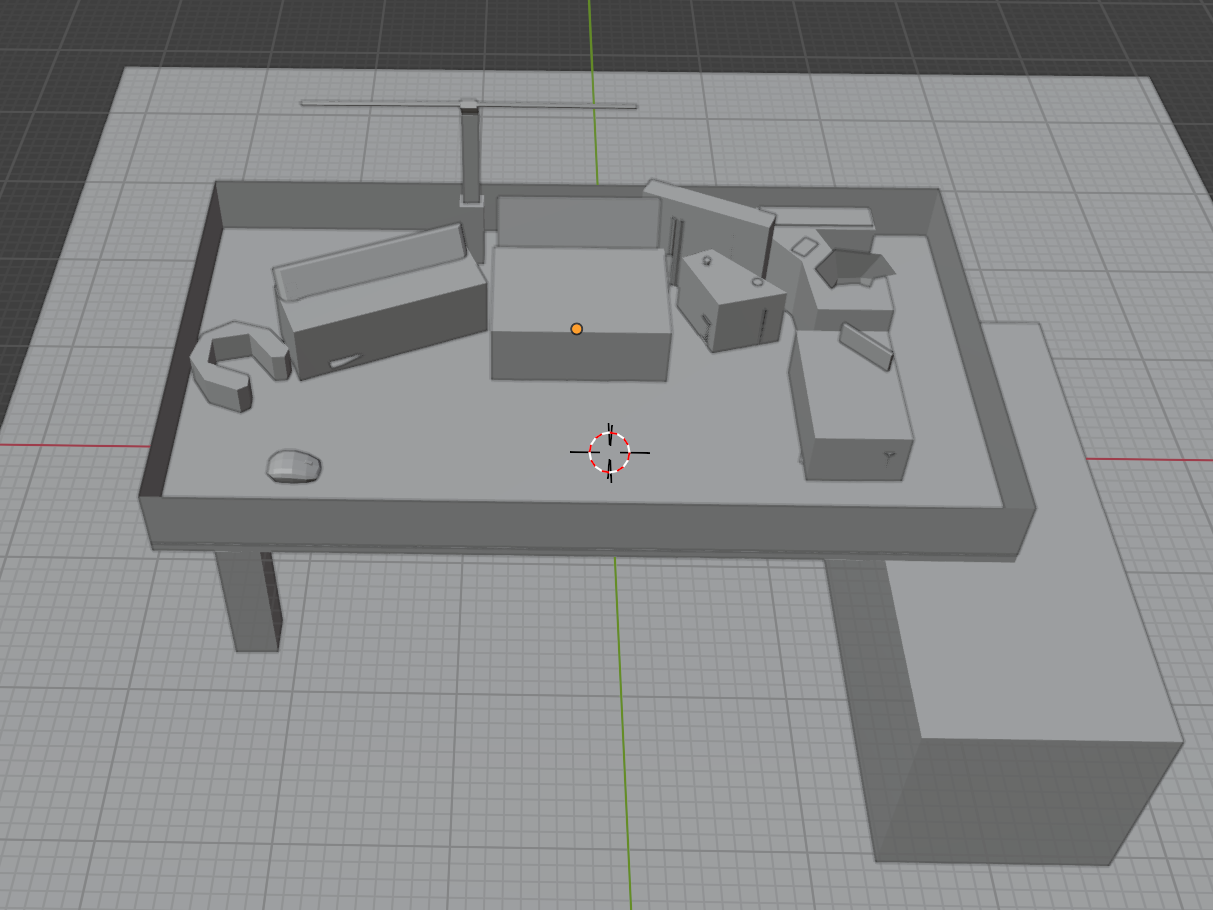
After all the 3D elements were done, it was time to move onto the HTML elements in the page. To make the site more like a game, I decided for the different pages to be modals that popped up once clicked. This was so the user wouldn't immediately be transported to another page, and could still see the 3D in the background. Because the nature of project pages are that they are long and more in detail, I decided to have those link back to my 2D pages. It would be nice to have it integrated into the 3D site as well, so if I decide to update this project in the future, I will definitely work on this aspect.
This website was set up using Vite as a bundler. All of the libraries that I needed to use plus the addition of the .glb file for the environment meant that there was a lot going on. So I decided to use this chance to try and use Vite, and I had a pretty good experience overall! To deploy the site I used Vercel. I had some issues with deployment at first because this was my first time with the bundler and it acted differently when deployed, but I was able to figure it out in the end by getting help from online forums. So with everything done, I could sit back and enjoy my website.
Did you know? This website is also made from scratch by me, using the same resources (Vite, Vercel) to setup and deploy!